
The queue is tenant-wide, newest first, and limited to the latest 100 stored gateway alerts. It has no search, date/status filters, pagination, detail drawer, evidence upload, response, accept, contest, or resolve control. Mark Read changes only the CentriPOS unread flag; it does not acknowledge or resolve a dispute with the processor.
Before you beginConfirm the register, amount, processor or terminal, and customer-safe transaction reference. Never copy card credentials into a support request.
Step by step
- Go to Payanywhere Suite → Alerts. The Activity icon in navigation is the exact product icon for this section. Wait for Loading alerts… to finish before deciding the queue is empty.
- For each notice, read the alert-type badge and received timestamp first. Chargeback uses the destructive treatment; other alert types use the neutral treatment. New means the CentriPOS record has not been marked read—it is not the processor’s case status.
- Record the displayed Transaction reference. A missing reference appears as an em dash. Use the approved Payanywhere/NMI transaction, CentriPOS Transactions, receipt, and deposit records to establish the real payment chain before acting. Never use a customer name, card number, or guess as the transaction key.
- Read the amount only when it is shown. The UI suppresses zero or absent amounts. A displayed amount belongs to the notice payload and is not by itself proof of the remaining disputed balance, refunded amount, processor withdrawal, or accounting treatment.
- Read the optional reason text and reason code. Preserve the code exactly in an internal authorized case note, but use the processor’s current case record for its formal meaning, required evidence, response deadline, and final status. This screen does not display a deadline or processor case status.
- Open the supporting processor case outside this queue using the business’s authorized processor access. Confirm card-safe reference, transaction, amount, reason, response deadline, and whether the case is an inquiry, retrieval, dispute, or chargeback before preparing evidence.
- Follow the processor’s authorized evidence and response workflow. Do not upload evidence, accept liability, issue a refund, or tell a customer the case is resolved from this CentriPOS screen; those actions are not available here.
- Choose Mark Read only after the correct owner has recorded the next step or confirmed no action is needed. The button is available only on unread alerts, has no confirmation, and is not reversible from this page. After the update reloads, the New badge and Mark Read button disappear.
- Use the Payanywhere Suite overview’s Needs attention card as a signal, not a complete case count. That number combines unread alerts with declined-payment and reporting-sync issues; its alert badge counts unread gateway alerts from the same stored queue.
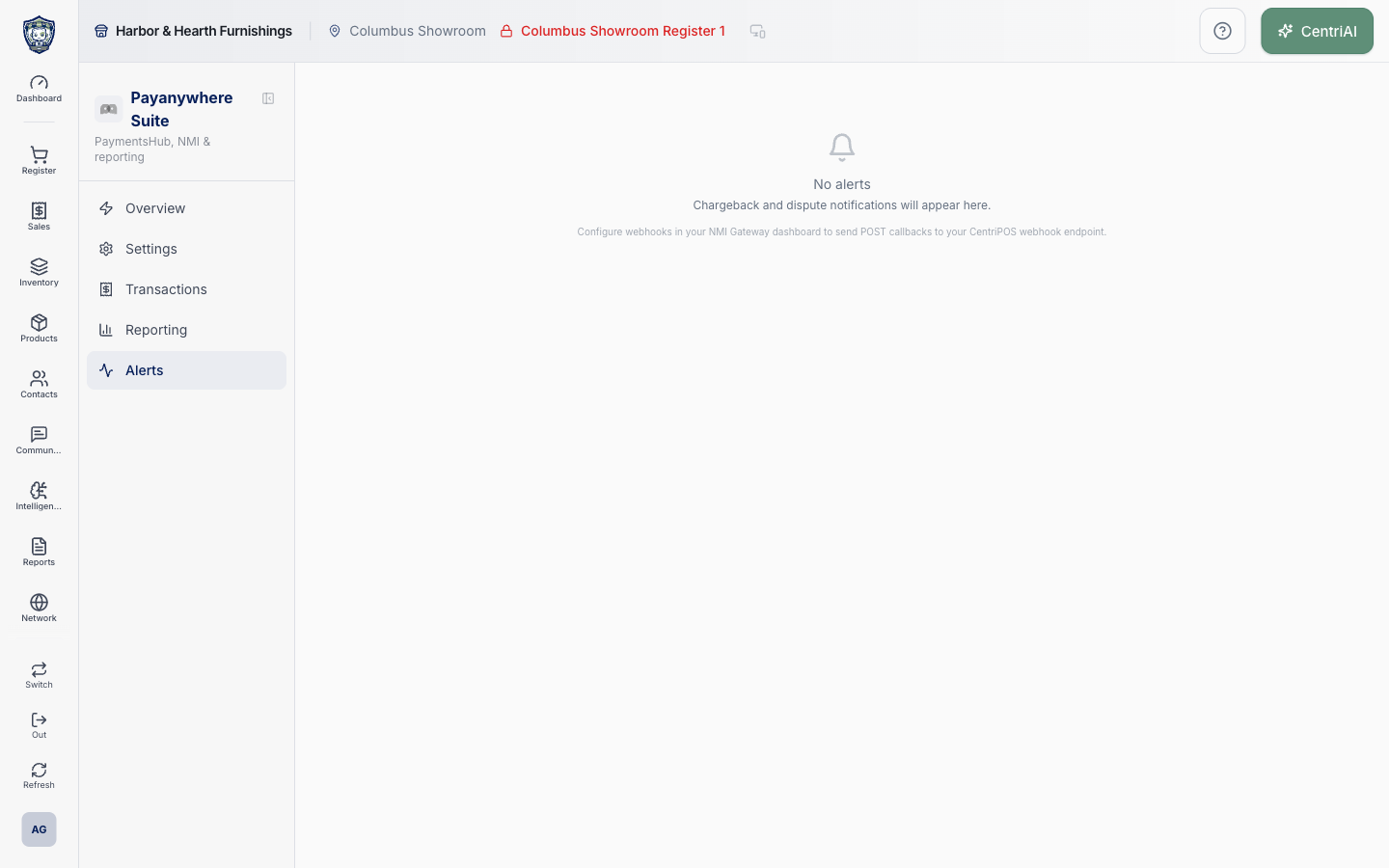
- If No alerts appears, the page loaded successfully but no stored gateway alerts were returned for the current tenant. It does not prove there are no disputes at the processor, no older records beyond the 100-row limit, or that webhook delivery is healthy.
- When an expected alert is missing, check the processor portal first, then ask an authorized administrator to verify that the NMI Gateway is sending supported POST callbacks to the tenant’s configured CentriPay webhook. Keep the callback URL, signing material, API keys, and Supabase details out of public notes and customer-facing links.
- For escalation, provide the CentriPOS tenant, safe transaction reference, processor case reference if available, notice received time, reason code, expected behavior, and whether the processor portal contains the case. Never include full card data, CVV, gateway credentials, or raw webhook secrets.
- The article screenshot is the real Amelia Grant Harbor & Hearth capture at 1440 × 900. It shows the fully loaded No alerts state and contains no dispute, chargeback, customer, or payment details.
Screen and contract reference
| Control or area | What it means |
|---|---|
| Activity navigation icon | Matches the Alerts icon used in the Payanywhere Suite navigation. |
| Loading alerts… | The gateway-alert query is still in progress; do not interpret it as an empty queue. |
| Alerts queue | Newest-first tenant records, capped at 100 by the current screen query. |
| Alert type | Processor-supplied classification such as chargeback or dispute; the badge color is presentation, not case disposition. |
| Received timestamp | When the gateway-alert row was created in CentriPOS. |
| New badge | Unread inside CentriPOS only; not a processor status. |
| Transaction reference | Processor-safe identifier used to find the supporting payment chain; may be absent. |
| Amount | Optional positive amount from the notice payload, not independently a settlement or balance figure. |
| Reason text | Optional human-readable processor context. |
| Reason code | Optional processor code whose current interpretation should be confirmed in the processor case. |
| Mark Read | Immediately sets is_read to true and refreshes the queue; it does not resolve or acknowledge the processor case. |
| No alerts | Completed empty result for stored alerts returned to this tenant, not proof of a dispute-free processor account. |
| 100-record boundary | Older stored alerts may not appear because the query returns only the newest 100. |
| Needs attention | Overview total combining unread alerts, declines, and reporting errors; not a pure dispute count. |
| Webhook requirement | Supported NMI POST callbacks must reach the configured tenant CentriPay webhook for expected notices to be stored. |
| Harbor & Hearth screenshot | Real Amelia Grant empty-state capture with no sensitive payment or dispute information. |
Expected result
Each alert shows the intended merchant-safe reference, type, amount or deadline, status, and available action, and resolved alerts leave the active queue appropriately.
Troubleshooting
- Check the processor transaction status before retrying an uncertain payment or refund.
- Confirm the terminal, register, amount, and transaction reference all belong together.
- Never include full card numbers or protected credentials in a support request.
CentriPOS API explorer · API Center administration
More guides
Build an itemized payment in MoneyUse Products or Amount & description to build one receipt, attach the customer, and follow the appropriate payment or service-estimate workflow.
Take a one-time payment in Virtual TerminalReview a one-time amount, tax and contact at the correct payment station, use its verified secure checkout, and recover the original receipt after an uncertain result.
Review booking payments, refunds and earned careKeep a booking’s customer payments, unused advances, completed care, cancellation fees and refunds distinct, then read a correctly scoped accrual report.
Configure booking properties and customer pagesSet accommodations, service packages, availability, required intake and payment terms, then review the correctly branded booking page before sharing it.