
Open Contacts → Store credit with the Badge Dollar Sign icon. The index includes only customers whose stored store_credit_balance is greater than zero and sorts them from highest balance to lowest. Total liability is the sum of those positive balances for the active tenant; zero and negative records do not appear. Add, Refund, and Reduce change a financial liability immediately, so verify customer identity, amount, reason, and register context first.
Step by step
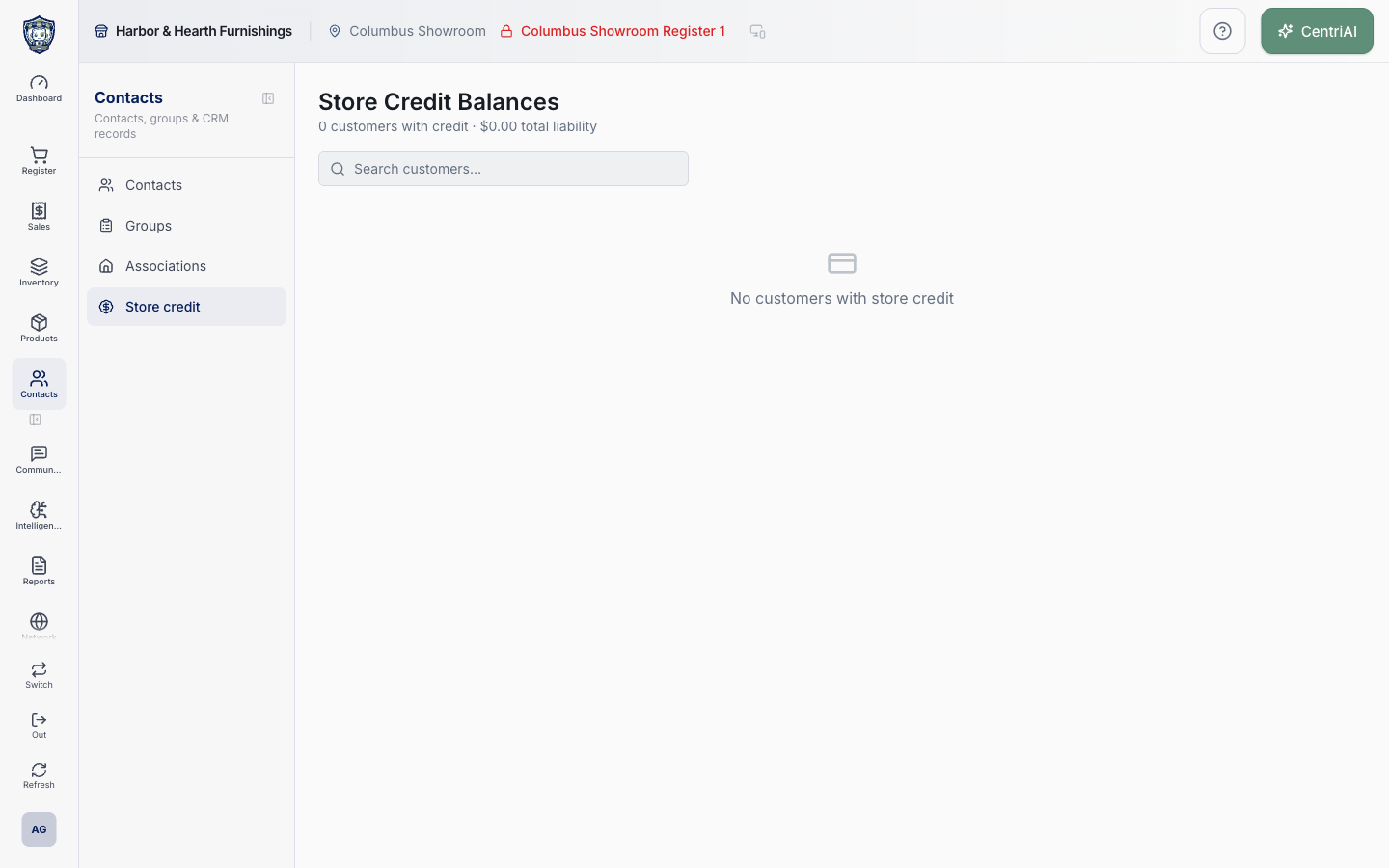
- Go to Contacts → Store credit. The Harbor & Hearth screen heading is Store Credit Balances. Confirm the active business before using the customer count or total as a liability figure. Location and register selectors in the shell do not filter this tenant-wide customer balance query.
- Read the summary. Customers with credit counts customer records with a balance greater than zero. Total liability adds those positive store-credit balances. If any listed customers also have a positive customer-account balance, the header separately shows their combined open account balance; that A/R amount is not netted against store credit.
- Use Search customers to match the loaded positive-balance rows by customer name, company name, local contact code, imported contact code, email, or phone. Search does not query address even though address is displayed in the result row. Clear Search before concluding a customer has no store credit.
- Read the row carefully. Customer shows name, optional different company, and imported code when available otherwise local contact code. Contact shows phone, email, and formatted address. Account is that customer’s stored account balance. Store Credit Balance is the positive liability represented by this index.
- Choose the customer name or Manage to open the Store Credit dialog. Confirm code, phone, email, and address in the identity strip before changing money. Choose View sales to open Receipts filtered to that customer when a receipt or return should support the balance explanation.
- Read Store credit balance, then review up to the 50 newest transaction rows. Each row shows Issued, Redeemed, Refund, Adjusted, or Expired; signed amount; balance after; note; date and time; and Closure when a register session ID was recorded. The ledger is ordered newest first.
- Interpret ledger signs. Positive Issue and Refund entries add liability. Redeem normally removes credit when used as payment. Reduce creates a negative Adjustment. Expired removes credit through its originating expiration workflow. Use the row’s balance-after value to trace the running result rather than relying only on the label color.
- Choose Closure on a transaction to open Register Closures for its recorded session. A missing Closure link means no register session ID was stored for that transaction; it does not mean the transaction is invalid or that no user performed it.
- Choose Add only for an authorized issuance or correction that should increase available store credit. Enter a positive Amount and required Notes explaining the business reason, receipt, approval, or correction reference.
- Choose Refund only when value is being returned to store credit through this manual action. Enter a positive Amount and required Notes. This action labels the ledger row Refund, but it does not itself reverse a processor transaction or amend the source receipt; complete the proper return/refund workflow when sale history must change.
- Choose Reduce only for an authorized liability reduction. It is disabled when the displayed balance is zero and the amount input is capped at the current displayed balance. Enter a required reason. Do not use Reduce to conceal an unexplained ledger discrepancy.
- Choose Confirm once. The adjustment calls the store-credit balance transaction with the selected customer, signed amount delta, transaction type, required notes, current active register session ID when one exists, and no sale ID. Wait for success, then the dialog refreshes the balance and transaction history.
- Understand register scope. Manual adjustments can record the current active register session and therefore appear in its Closure evidence, but the customer’s store-credit balance remains a tenant-level customer liability. Opening this page under another register does not create a separate balance for that register.
- Close the dialog and confirm the index count, row balance, and Total Liability changed by the same signed amount. Reopen the customer and match the new ledger row, note, balance after, timestamp, and Closure link when applicable.
- For a sale redemption, sale refund, expiration, or other automated change, use that originating supported workflow rather than recreating it with a manual label. Then return here to reconcile the positive balance and ledger.
- If a customer balance is zero after a full redemption or reduction, the customer disappears from this index because the query requires greater than zero. If Search shows No matching customers, clear it. No customers with store credit is the exact rendered empty state when the positive-balance source has no rows, as shown in the real Harbor & Hearth screenshot.
- For audit or accounting questions, compare this screen with Store Credit reporting, the customer ledger, representative receipts, closure evidence, and configured QuickBooks liability mappings. The table’s Total Liability is an operational sum of current positive customer balances, not by itself a complete general-ledger reconciliation.
Screen and contract reference
| Control or area | What it means |
|---|---|
| Badge Dollar Sign icon | The exact CentriPOS navigation icon for Contacts → Store credit. |
| Customers with credit | Count of customer records whose store_credit_balance is strictly greater than zero. |
| Total liability | Sum of all positive store-credit balances returned for the active tenant. |
| Open account balance | Separate sum of positive customer-account balances only among the currently listed store-credit customers; it is not netted. |
| Search customers | Client-side match on name, company, local/imported code, email, or phone; address is not searchable here. |
| Customer | Name, optional company, and imported code preferred over local contact code. |
| Contact | Phone, email, and formatted address when stored. |
| Account | Stored customer account balance, distinct from store credit. |
| Store Credit Balance | Current positive customer store-credit liability. |
| Manage / customer name | Opens the customer-specific store-credit ledger and manual controls. |
| View sales | Opens Receipts filtered to the selected customer. |
| Transaction history | Up to 50 newest store-credit ledger rows. |
| Issued | Positive liability created through issuance. |
| Redeemed | Store credit consumed by a supported payment workflow. |
| Refund | Positive store credit added with refund semantics. |
| Adjusted | Manual adjustment; Reduce records a negative adjustment. |
| Expired | Credit removed through an expiration workflow. |
| Balance after | Stored customer balance immediately after that transaction. |
| Closure | Opens the recorded register session when register_session_id exists. |
| Add | Manual positive Issue requiring amount and notes. |
| Refund action | Manual positive Refund requiring amount and notes; it does not independently reverse a sale or processor payment. |
| Reduce | Manual negative Adjustment requiring amount and notes and limited to the displayed balance. |
| Required Notes | Audit reason passed into the store-credit transaction. |
| Active session context | Current register session ID recorded on a manual adjustment when one exists. |
| Tenant liability scope | Balance is customer/tenant level even when an adjustment records a register session. |
| No matching customers | Search excluded every loaded positive-balance row. |
| No customers with store credit | No customer has a positive stored balance in the tenant query. |
| Real screenshot | Harbor & Hearth fully rendered zero-customer, $0.00-liability empty state for this exact route. |
| Accounting boundary | Operational positive-balance sum that still requires ledger, receipt, closure, report, and GL reconciliation. |
Expected result
The tenant-wide count and positive-balance Total Liability reconcile to the listed customers; the selected customer’s current balance reconciles to its newest-first ledger, receipts, and closure evidence; any manual Add, Refund, or Reduce has the intended signed amount, required note, and active-session context; and store credit remains distinct from customer-account debt and general-ledger reconciliation.
Troubleshooting
- Search by more than one identity field before creating or merging a customer.
- Confirm the selected customer, company, or household before changing balances or associations.
- Do not place payment credentials or unnecessary private information in notes.
CentriPOS API explorer · API Center administration