
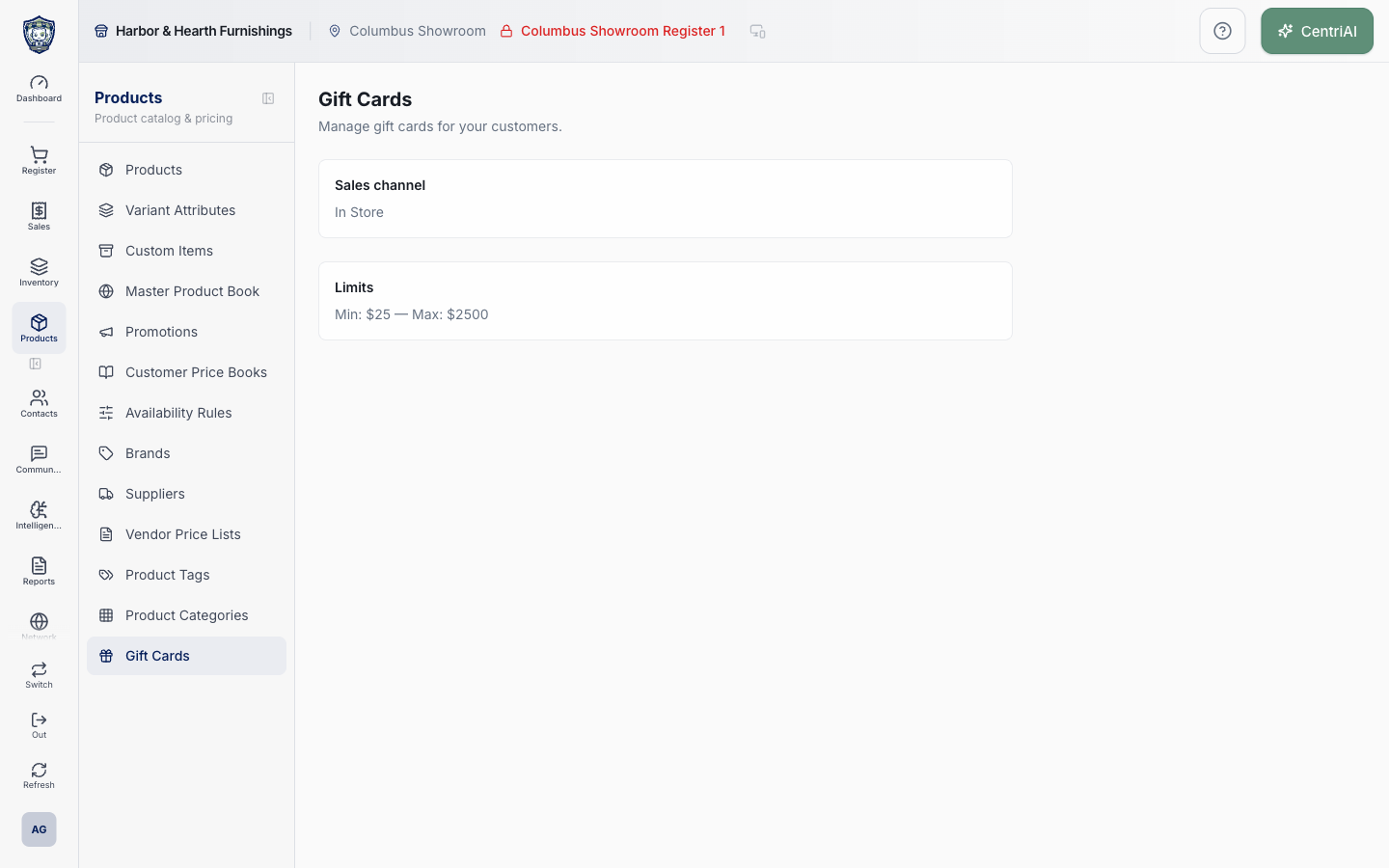
Products → Gift Cards uses the Gift icon and reads the same tenant gift_card_settings record edited under Admin → Store Credit & Gift Cards. When enabled, this page is read-only. When disabled or no row exists, its visible Enable gift cards button currently has no click handler and does not change configuration. No card number, balance, customer, issuance, reload, redemption, expiration date, transaction, or search controls exist here.
Before you beginSearch first to avoid duplicate products or reference values. Confirm whether the change is business-wide or location-specific.
Step by step
- Go to Products → Gift Cards. Wait for the loading spinner to finish and confirm the Gift Cards heading.
- If the page says Gift Cards are not enabled, treat that as the stored tenant state or absence of a settings row. Do not rely on the visible Enable gift cards button: in the current implementation it performs no action and shows no confirmation.
- For an authorized configuration change, go to Admin → Store Credit & Gift Cards. That is the wired editor for is_enabled, has_expiry, min_amount, and max_amount. Return to Products → Gift Cards after saving to read the updated summary.
- When enabled, read Sales channel. The screen converts the stored sales_channel value from underscores to spaces and capitalizes it for display. It does not provide a channel selector or prove that a complete selling workflow is available in that channel.
- Read Limits as the stored minimum and maximum amounts. These values are configuration metadata; this screen does not validate a proposed load, issue a card, alter a balance, or show whether historical cards fall outside the current range.
- Do not enter or search for customer, card, or transaction data here; no such controls are present. Use permission-controlled reports or operational tooling only when a supported workflow exists and protect full card codes and balances as financial-value credentials.
- Current source inspection shows gift-card database/reporting structures, Payment Type metadata, receipt-template display settings, QuickBooks liability mappings, and this configuration surface, but no customer-visible issuance, reload, balance lookup, or redemption component in the active POS source. Do not promise or train a live card workflow until it is implemented and verified end-to-end.
- If gift cards are expected to be operational, contact CentriPOS support with the business, location/register, intended issuance/redemption scenario, and the settings summary. Do not create a generic custom payment type as a substitute for a controlled stored-value ledger.
Screen and contract reference
| Control or area | What it means |
|---|---|
| Gift icon | Exact CentriPOS navigation and disabled-state icon for Products → Gift Cards. |
| Shared settings row | The tenant gift_card_settings record read here and edited in Admin → Store Credit & Gift Cards. |
| Gift Cards are not enabled | Displayed when no settings row is returned or is_enabled is false. |
| Enable gift cards button | Currently visual only: no click handler is attached, so it does not enable or save anything. |
| Sales channel | Read-only formatted display of the stored sales_channel value; no selector exists on this page. |
| Limits | Read-only Min/Max display from min_amount and max_amount. |
| Not card management | No card list, code, balance, customer, issuance, reload, redemption, expiration, transaction, search, edit, or delete controls exist here. |
| Admin editor | Admin → Store Credit & Gift Cards is the current wired configuration surface. |
| Payment Type metadata | A separate enabled payment-type label is not proof that a stored-value issuance/redemption workflow is implemented. |
| Harbor & Hearth screenshot | Real Amelia Grant capture of /catalog/gift-cards in an enabled settings-summary state. It shows only Sales channel and Limits; no gift-card numbers, balances, or customer records are exposed. |
Expected result
The gift-card product or program follows the intended sale, activation, balance, redemption, location, and receipt behavior in a controlled test.
Troubleshooting
- Confirm whether you are editing a product, variant, shared master record, or location-specific value.
- Search for an existing product, SKU, UPC, attribute, or tag before creating a duplicate.
- Preview labels, pricing, and availability in the intended location before broad publication.
CentriPOS API explorer · API Center administration
More guides
Build an itemized payment in MoneyUse Products or Amount & description to build one receipt, attach the customer, and follow the appropriate payment or service-estimate workflow.
Take a one-time payment in Virtual TerminalReview a one-time amount, tax and contact at the correct payment station, use its verified secure checkout, and recover the original receipt after an uncertain result.
Review booking payments, refunds and earned careKeep a booking’s customer payments, unused advances, completed care, cancellation fees and refunds distinct, then read a correctly scoped accrual report.
Configure booking properties and customer pagesSet accommodations, service packages, availability, required intake and payment terms, then review the correctly branded booking page before sharing it.